Items and schema
Items are { label, value } by default. Values can be strings or numbers, and 1 matches '1'.
Each item can also have:
| Field | Effect |
|---|---|
disabled | Shown greyed out; can't be picked |
selectable | false makes a row non-pickable; true lets a group be picked |
testID | testID for that row (overrides itemTestID) |
Mapping your own data
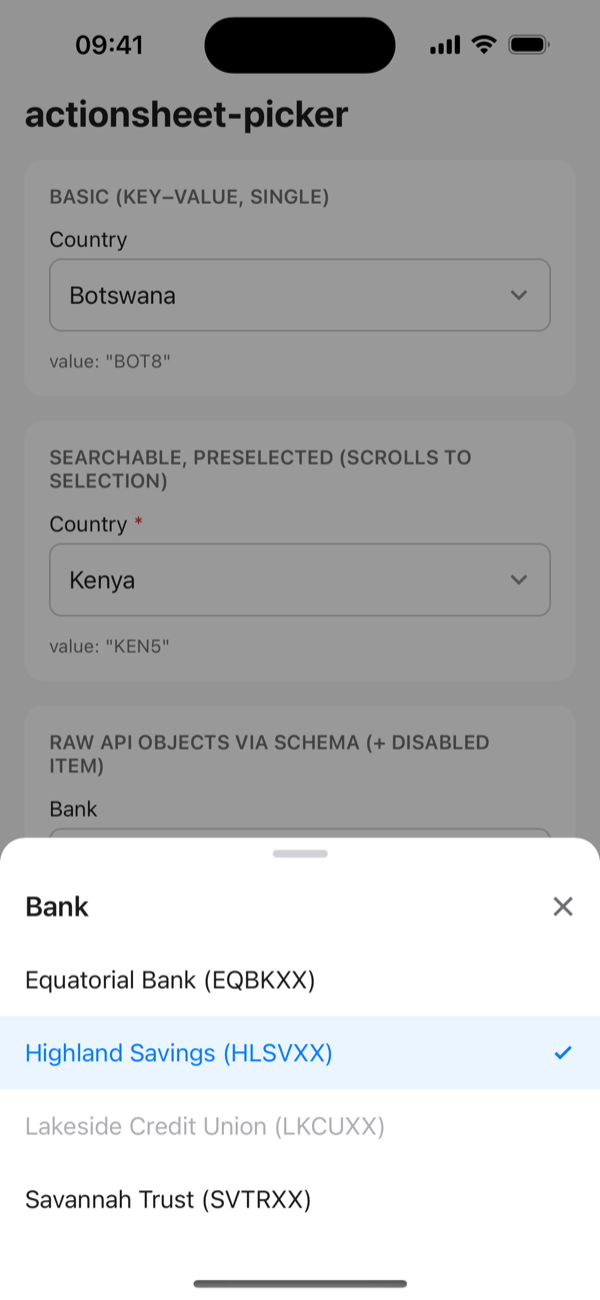
To use other key names, map them with schema. Each entry is a property name or a function, so raw API objects work as they are:
tsx
const banks = [
  { id: 101, bank_name: 'Equatorial Bank', swift: 'EQBKXX', closed: false },
  { id: 103, bank_name: 'Lakeside Credit Union', swift: 'LKCUXX', closed: true },
];

<ActionSheetPicker
  items={banks}
  schema={{
    value: 'id',
    label: (bank) => `${bank.bank_name} (${bank.swift})`,
    disabled: 'closed',
  }}
  value={bankId}
  onChange={(id, bank) => setBankId(id)}
/>;
onChange gives you back your original object as item.
Values not in items yet
For edit forms, where the saved value may not be loaded yet (paginated or remote lists), pass it in selectedItems so its label shows straight away:
tsx
<ActionSheetPicker selectedItems={[{ id: 42, name: 'Saved Bank' }]} … />